No streaks. No guilt.
Nothing to check off. It's a nudge, not another chore on your phone.
Every widget I have counts something. Steps. Tasks. Unread messages. Days until the deadline. I wanted one that counts something slower.
The film · 17 seconds
Twelve seasons fly by on the Home Screen, the widget grows from small to large, and lands back on today's cue.
The idea
Japan's old calendar has 72 seasons. Each lasts about five days and gets a tiny poetic name: Frogs start singing.
First frost.
Wild geese return.
72 Seasons puts that on your Home Screen, with one small cue a day to actually notice it. The colors drift with the year too, so even your phone gets a little seasonal.
Three sizes, one family
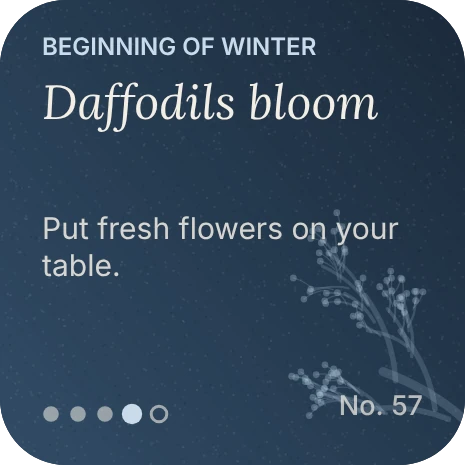
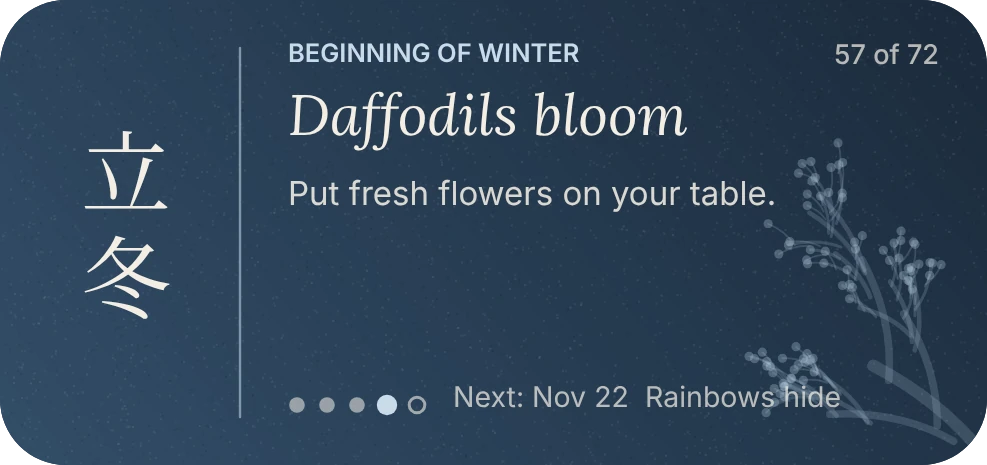
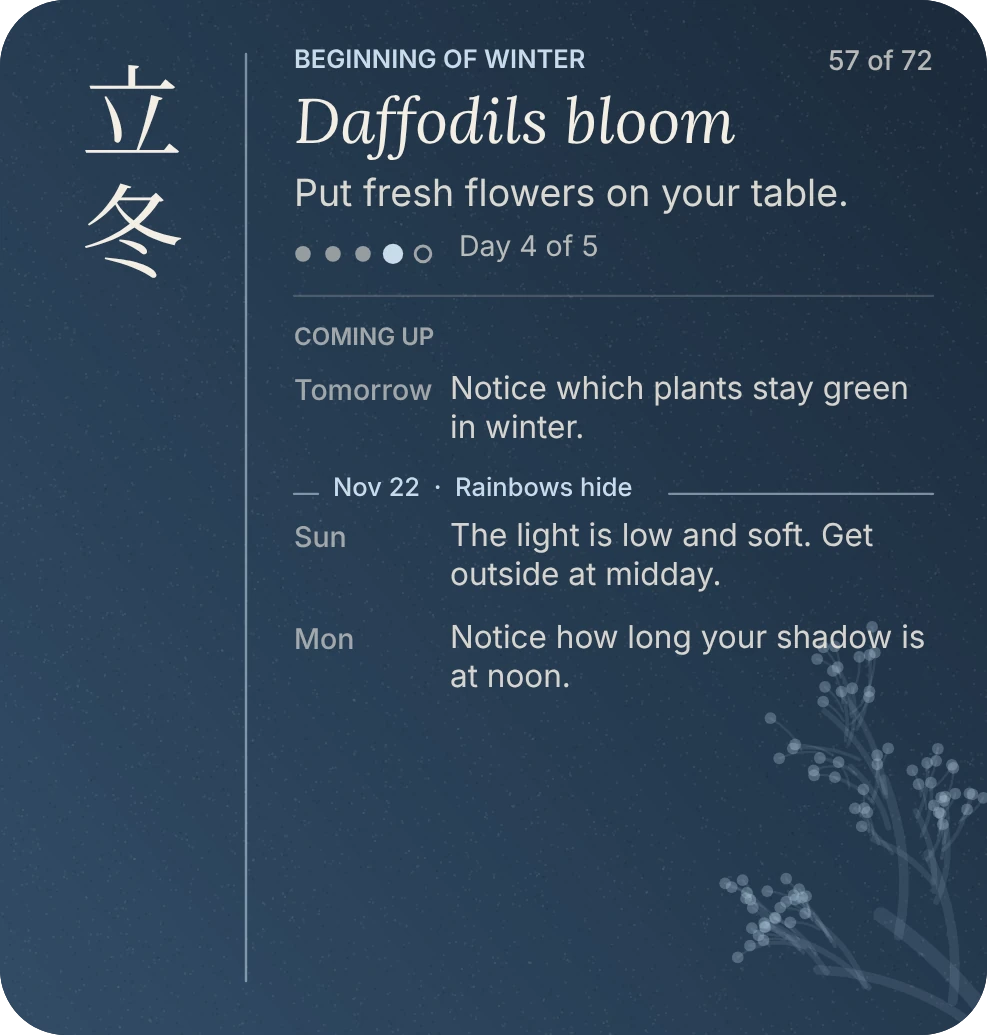
Plus two Lock Screen versions: a single line above the clock, and a small card with the season and today's cue.
Little decisions
It started with a dial, a tap-to-open card and Japanese everywhere. Every round, something left.
Nothing to check off. It's a nudge, not another chore on your phone.
The large widget shows the next three days. Yesterday's cue is gone, like yesterday.
Each season keeps its color, then eases into the next over about a month. Blending all season long turned plum and forest into mud.
Everything is in English except the major season, in kanji. It reads as texture even if you can't read it.
Six per season, each one something to do, notice or eat. No labels, because "Look for flowers still blooming in the cold" explains itself.
The first version was a pale tint on cream. It looked like nothing. Deep color, film grain and a seasonal branch fixed it.
Try it
A free app that runs small scripts as widgets.
Grab it here, or read the code on GitHub first.
Tap +, paste, and name it 72 Seasons.
Long press your Home Screen, add a Scriptable widget in small, medium or large, tap Edit Widget and choose 72 Seasons.
More from the playground
Split one giant collection into the folders you meant to make.
Pause, tap, it's in your cart.
Fifty words and a doodle a day. Daybloom.